GroupSplitter Property
Description
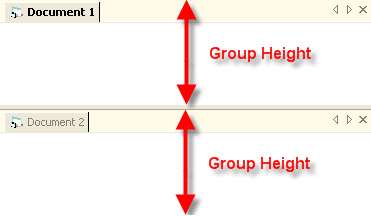
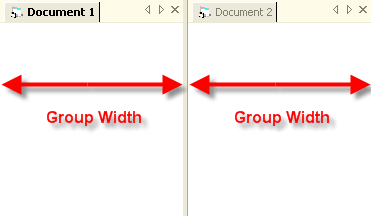
Gets/sets the width/height of a group in the TabWorkspace.
Property Type
Read-write property
Syntax (Visual Basic)
Public Property GroupSplitter( _
    ByVal [Group] As Long _
) As Double
Parameters
- Group: Index of a Group in the TabWorkspace. The index starts at 0 (zero) and increments by 1 for each additional group up to the total GroupCount.
Remarks
There must be at least 2 or more groups to use the GroupSplitter property. The GroupCount property should be used to determine the group count prior to using GroupSplitter.
The height or width of a group can be changed by setting the GroupSplitter property to the desired width or height in pixels.
Example
GroupSplitter Sample (Visual Basic): This sample illustrates how to find a group and retrieve the width or height of a group in the TabWorkspace.
Debug.Print CommandBars.TabWorkspace.GroupSplitter(Workspace.FindGroup(Workspace.Item(0))) & " " & Workspace.Item(0).Caption
See Also
Copyright (c) 1998-2024 Codejock Technologies. All rights reserved.