AddButton Method
Description
Adds a button to the message bar.
Syntax
Public Sub AddButton( _
    ByVal [Id](#) As Long, _
    ByVal [Caption](#) As String, _
    ByVal [ToolTip](#) As String _
)
Parameters
- Id: Id of the button.
- Caption: Text displayed inside the button.
- ToolTip: Text displayed as a tooltip when the mouse is placed over the button.
Remarks
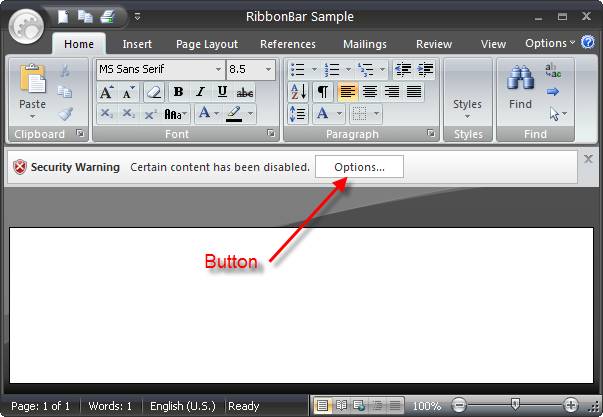
AddButton adds a button to the message bar. The Id of the button is sent to the Execute event when the button is clicked, allowing for any additional action to be carried out. It is possible to add multiple buttons.
Example
Dim MessageBar As MessageBar

Set MessageBar = CommandBars.MessageBar

MessageBar.Visible = True

MessageBar.AddCloseButton "Close Message Bar"
MessageBar.AddButton ID_EDIT_COPY, "Options...", "Show more options"

MessageBar.Message = _
    "" & _
    "        " & _
    "        Security Warning" & _
    "        Certain content has been disabled." & _
    ""
See Also
Copyright (c) 1998-2024 Codejock Technologies. All rights reserved.