ChartFillStyle Object
Chart Pro ActiveX Control v24.0
Description
Represents the styles used to fill/shade the background of various chart elements (strips, interlacing, background, markers, labels, legend, etc.).
For a list of all members defined in this module, see ChartFillStyle members.
Remarks
The fill style allows the FillMode Property, GradientAngle Property and HatchStyle Property to be set. FillMode applies to the background (columns, interlacing, stripes, markers, labels, legend, etc.) of many chart elements.
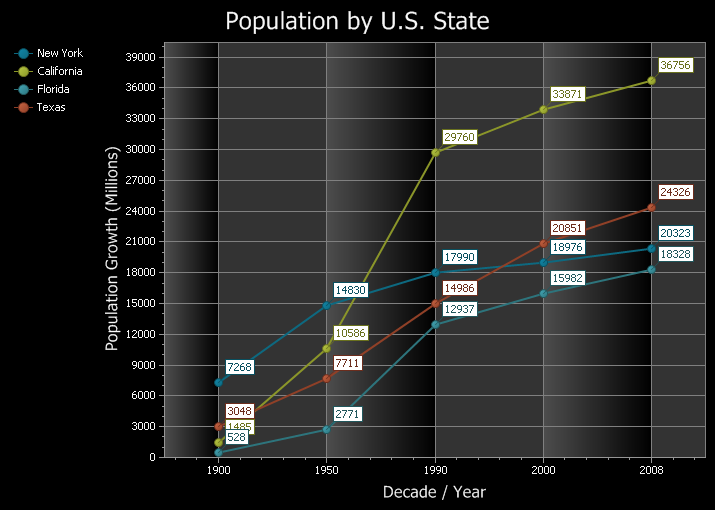
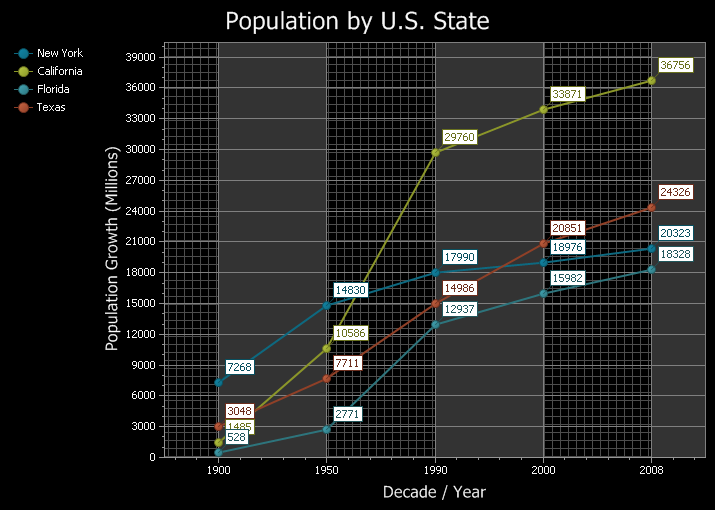
FillMode must be set to xtpChartFillGradient to use a gradient, or xtpChartFillHatch to use a hatch style. Note that gradient and hatch cannot be used at the same time — you can use one or the other, but not both at the same time. FillMode can also be set to solid or empty; in those cases no gradient or hatch will be used.
The background fill of 2D charts can be set using the BackgroundFillStyle Property. The gradients and hatch styles can be applied to any 2D axis background. The colors used for the background gradient can be set using the BackgroundColor Property and BackgroundColor2 Property.
Both the X and Y axes have an InterlacedFillStyle Property that allows the fill style to be set for interlaced "columns" along that axis, if Interlacing Property is turned on. The colors used for the interlaced gradient can be set using the InterlacedColor Property and InterlacedColor2 Property.
The Axis Strip FillStyle Property allows the fill mode of axis "strips" to be set.
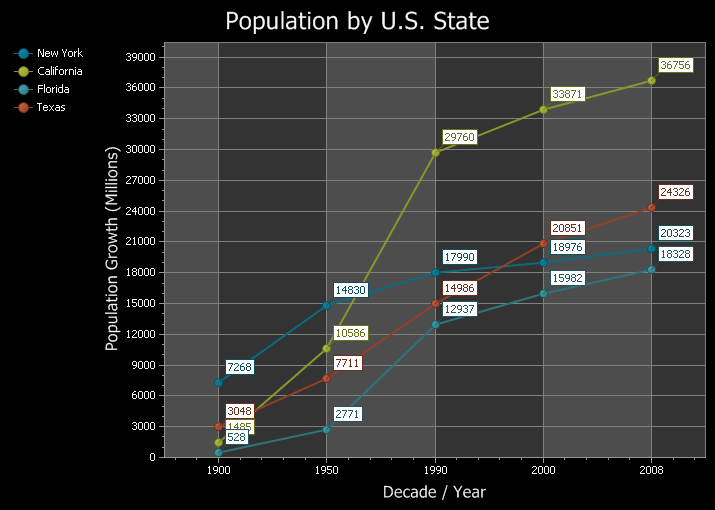
Below are examples of the various fill modes (appearance is set to black to make the fill easier to see):
- Solid Fill Mode:
- Gradient Fill Mode:
- Hatch Fill Mode:
Example
This example demonstrates setting the fill mode, gradient angle, and hatch style for all strips and interlacing for all axes.
' This sample will set the fill mode for all strips and interlacing for all axis
Dim FillModeIndex As ChartFillMode
FillModeIndex = xtpChartFillSolid

If ActiveChartControl.Content.Series.Count > 0 Then
    Dim xSeries As ChartSeries
    For Each xSeries In ActiveChartControl.Content.Series
        Set Diagram = xSeries.Diagram
        Dim xStrip

        Diagram.AxisX.InterlacedFillStyle.FillMode = FillModeIndex
        For Each xStrip In Diagram.AxisX.Strips
            xStrip.FillStyle.FillMode = FillModeIndex
        Next

        Diagram.AxisY.InterlacedFillStyle.FillMode = FillModeIndex
        For Each xStrip In Diagram.AxisY.Strips
            xStrip.FillStyle.FillMode = FillModeIndex
        Next

        Diagram.AxisX.SecondaryAxisX.FillMode = FillModeIndex
        For Each xStrip In Diagram.SecondaryAxisX.Strips
            xStrip.FillStyle.FillMode = FillModeIndex
        Next

        Diagram.SecondaryAxisY.InterlacedFillStyle.FillMode = FillModeIndex
        For Each xStrip In Diagram.SecondaryAxisY.Strips
            xStrip.FillStyle.FillMode = FillModeIndex
        Next
    Next
End If

' This sample will set the gradient for all strips and interlacing for all axis
Dim GradientAngleIndex As ChartGradientAngle
GradientAngleIndex = xtpChartGradientLeftToRight

If ActiveChartControl.Content.Series.Count > 0 Then
    Dim xSeries As ChartSeries
    For Each xSeries In ActiveChartControl.Content.Series
        Set Diagram = xSeries.Diagram
        Dim xStrip

        Diagram.AxisX.InterlacedFillStyle.GradientAngle = GradientAngleIndex
        For Each xStrip In Diagram.AxisX.Strips
            xStrip.FillStyle.GradientAngle = GradientAngleIndex
        Next

        Diagram.AxisY.InterlacedFillStyle.GradientAngle = GradientAngleIndex
        For Each xStrip In Diagram.AxisY.Strips
            xStrip.FillStyle.GradientAngle = GradientAngleIndex
        Next

        Diagram.SecondaryAxisX.InterlacedFillStyle.GradientAngle = GradientAngleIndex
        For Each xStrip In Diagram.SecondaryAxisX.Strips
            xStrip.FillStyle.GradientAngle = GradientAngleIndex
        Next

        Diagram.SecondaryAxisY.InterlacedFillStyle.GradientAngle = GradientAngleIndex
        For Each xStrip In Diagram.SecondaryAxisY.Strips
            xStrip.FillStyle.GradientAngle = GradientAngleIndex
        Next
    Next
End If

' This sample will set the hatch style for all strips and interlacing for all axis
Dim HatchIndex As ChartHatchStyle
HatchIndex = xtpChartHatchStyle25Percent

If ActiveChartControl.Content.Series.Count > 0 Then
    Dim xSeries As ChartSeries
    For Each xSeries In ActiveChartControl.Content.Series
        Set Diagram = xSeries.Diagram
        Dim xStrip

        Diagram.AxisX.InterlacedFillStyle.HatchStyle = HatchIndex
        For Each xStrip In Diagram.AxisX.Strips
            xStrip.FillStyle.HatchStyle = HatchIndex
        Next

        Diagram.AxisY.InterlacedFillStyle.HatchStyle = HatchIndex
        For Each xStrip In Diagram.AxisY.Strips
            xStrip.FillStyle.HatchStyle = HatchIndex
        Next

        Diagram.SecondaryAxisX.InterlacedFillStyle.HatchStyle = HatchIndex
        For Each xStrip In Diagram.SecondaryAxisX.Strips
            xStrip.FillStyle.HatchStyle = HatchIndex
        Next

        Diagram.SecondaryAxisY.InterlacedFillStyle.HatchStyle = HatchIndex
        For Each xStrip In Diagram.SecondaryAxisY.Strips
            xStrip.FillStyle.HatchStyle = HatchIndex
        Next
    Next
End If
See Also
- ChartFillStyle Members
- FillMode Property
- GradientAngle Property
- HatchStyle Property
- ChartFillMode Enumeration
- ChartGradientAngle Enumeration
- ChartHatchStyle Enumeration
- InterlacedFillStyle Property
- InterlacedColor Property
- InterlacedColor2 Property
- Interlaced Property
- Axis Strip FillStyle Property
- BackgroundFillStyle Property
- BackgroundColor Property
- BackgroundColor2 Property
Copyright (c) 1998-2024 Codejock Technologies. All rights reserved.