SetAppearance Method
Description
Sets the appearance of the chart.
Syntax
Public Sub SetAppearance( _
    ByVal [Name](#) As String _
)
Parameters
- Name: Name of the appearance to set.
Current Pre-set Appearances
- "Nature"
- "Black"
- "Gray"
Remarks
This method will load pre-set appearances for the chart to use. Appearances affect only the colors of the chart itself; they do not affect the series.
Current Pre-set Appearances
- "Nature"
- "Black"
- "Gray"
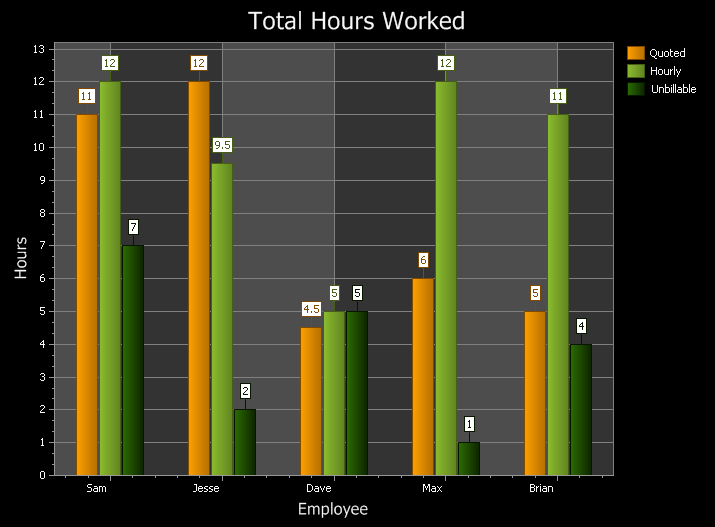
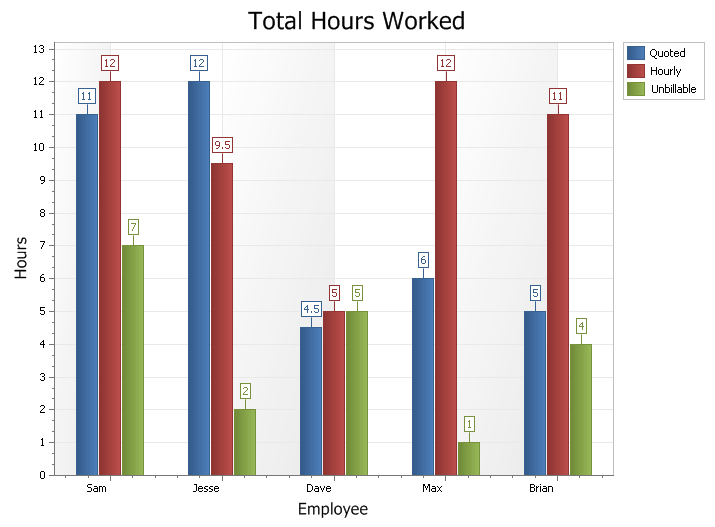
Below is the same diagram using two different appearances ("Black" and "Gray"). Notice how only the chart is affected; the series and legend remain unchanged:
Example
Dim AppearanceList
Dim AppearanceIndex As Long

Dim PaletteList
Dim PaletteIndex As Long

AppearanceList = Array("Nature", "Black", "Gray")
AppearanceIndex = 0

PaletteList = Array("Victorian", "Vibrant Pastel", "Vibrant", "Tropical", "Summer", "Spring Time", "Rainbow", "Purple", "Primary Colors", _
"Postmodern", "Photodesign", "Pastel", "Office", "Orange Green", "Nature", "Natural", "Impresionism", "Illustration", "Harvest", _
"Green Brown", "Green Blue", "Green", "Gray", "Four Color", "Fire", "Earth Tone", "Danville", "Caribbean", "Cappuccino", "Blue Gray", "Blue")

PaletteIndex = 9

ActiveChartControl.Content.Appearance.SetAppearance AppearanceList(AppearanceIndex)

ActiveChartControl.Content.Appearance.SetPalette PaletteList(PaletteIndex)
See Also
Copyright (c) 1998-2024 Codejock Technologies. All rights reserved.