ISAPI and CGI Restrictions
Overview
ISAPI and CGI Restrictions are important for the configuration of web applications in Internet Information Services (IIS).
Verifying ISAPI and CGI Restrictions
To verify the ISAPI and CGI Restrictions, you need to start the Internet Information Services Manager.
Starting the Internet Information Services Manager
- Click the Start/Windows button.
- Type
InetMgr.exe, and then press ENTER. - If the User Account Control dialog box appears, confirm that the action it displays is what you want, and click Yes to continue.
Accessing ISAPI and CGI Restrictions
After the IIS Manager has started, select and open ISAPI and CGI Restrictions.
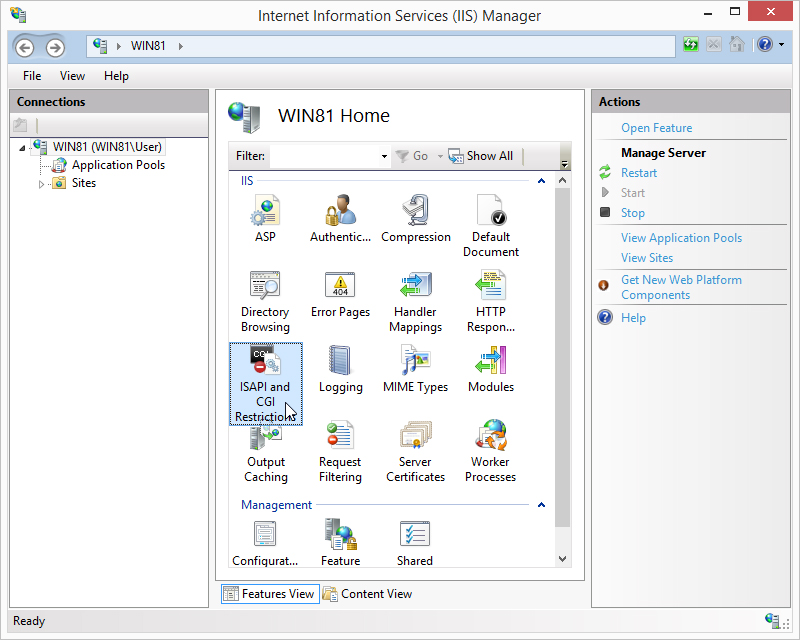
After opening ISAPI and CGI Restrictions, find the ISAPI extension(s) related to DataFlex.
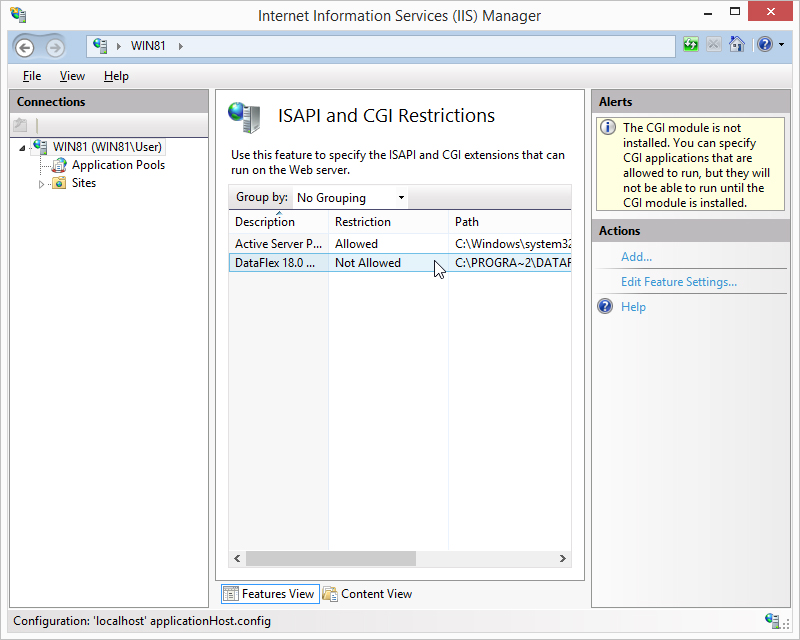
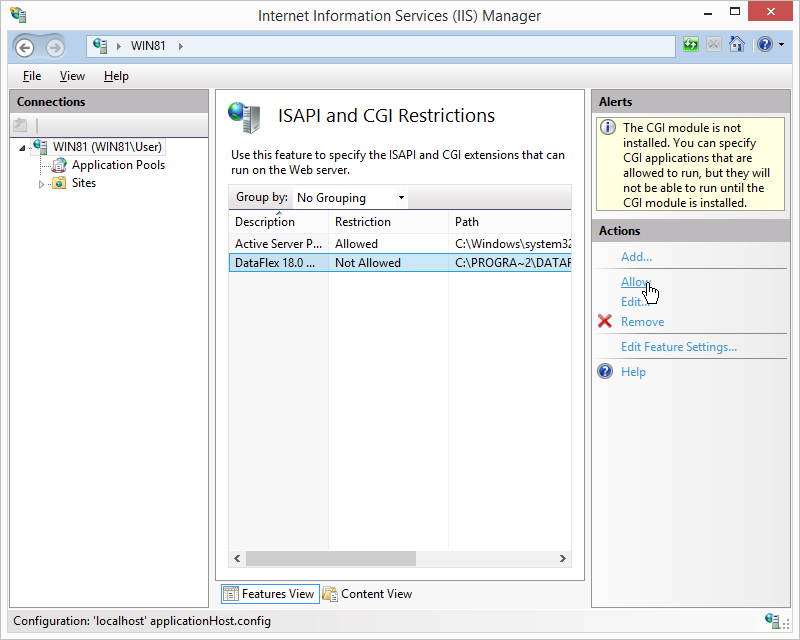
If the DataFlex extension is Not Allowed, select the extension and click Allow found in the Actions pane.
If the DataFlex-related ISAPI and CGI extensions are missing, it might indicate a failed installation, and we recommend reinstalling DataFlex.
Copyright © 2017 by Data Access Europe. All Rights Reserved.