Enable 32-bit Applications
Enable IIS to run 32-bit Applications.
Note: DataFlex 19.0 or higher does not require application pools to run in 32-bit mode. However, if older DataFlex Web applications are present, you must run these applications using a 32-bit application pool on a 64-bit machine.
Starting the Internet Information Services Manager
To enable an application pool to run in 32-bit mode, you need to start the Internet Information Services (IIS) Manager.
Steps to Start IIS Manager
- Click the Start/Windows button.
- Type
InetMgr.exe, and then press ENTER. - If the User Account Control dialog box appears, confirm that the action it displays is what you want, and click Yes to continue.
Configuring the Application Pool
After the IIS Manager has started, select Application Pools.
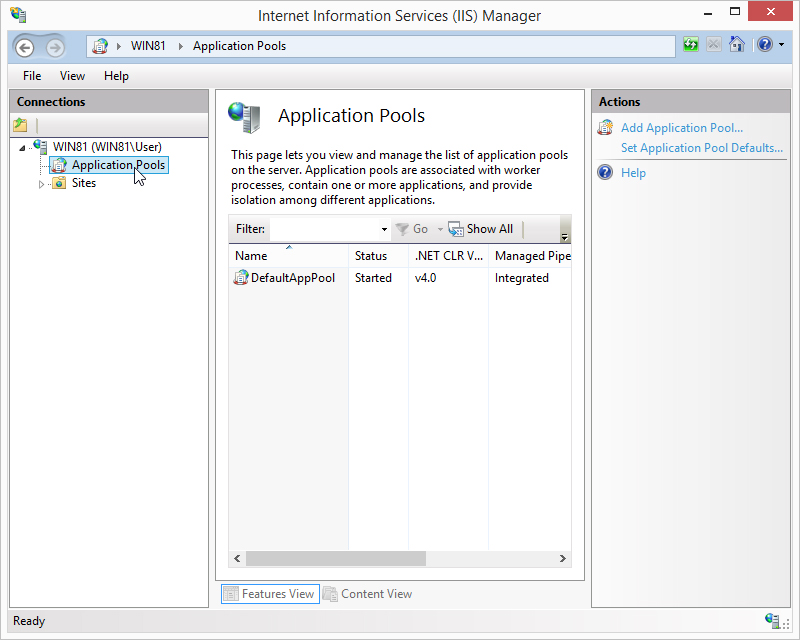
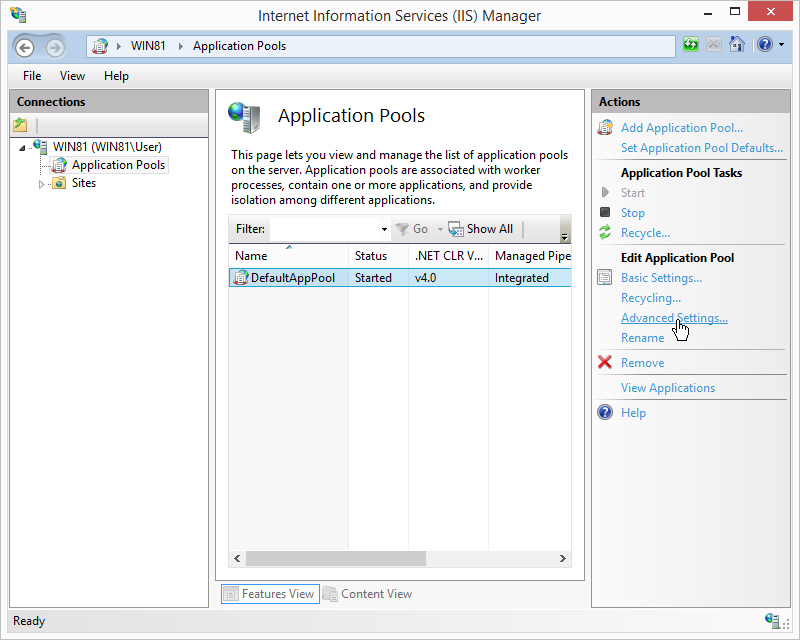
After clicking Application Pools, select DefaultAppPool. New actions will become available.
Click Advanced Settings.
In the Advanced Settings window, find General and set Enable 32-Bit Applications to True.
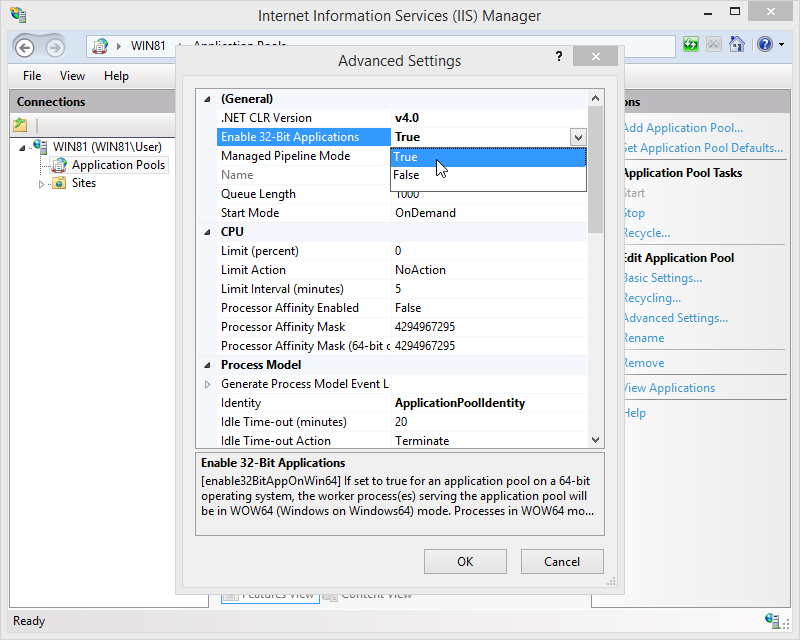
Apply the setting by clicking OK.
Copyright © 2017 by Data Access Europe. All Rights Reserved.